
Fiber Termination Box (FTB)
What Is a Fiber Terminal Box?
A Fiber Termination Box (FTB) connects outside plant feeder cables to subscriber drop lines, pigtails, and patch cords. The enclosure anchors outer cable jackets and central strength members to prevent mechanical stress during cable installation and maintenance.
… Load moreShowing all 11 results
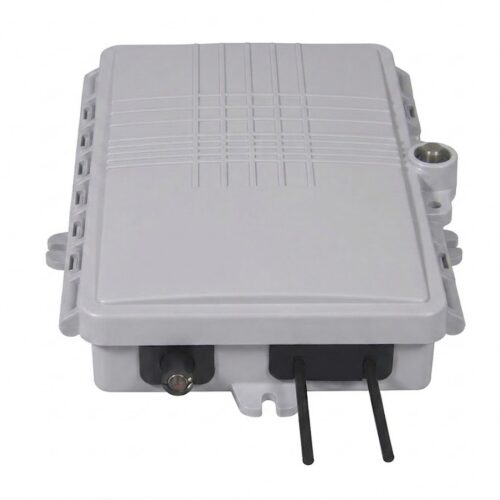
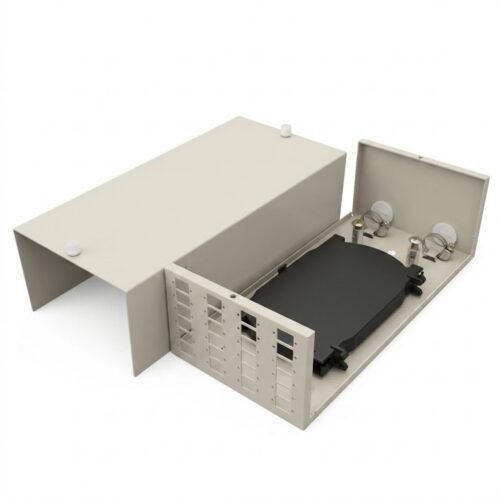
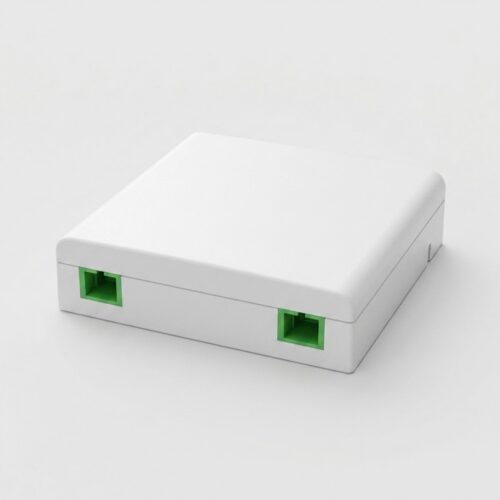
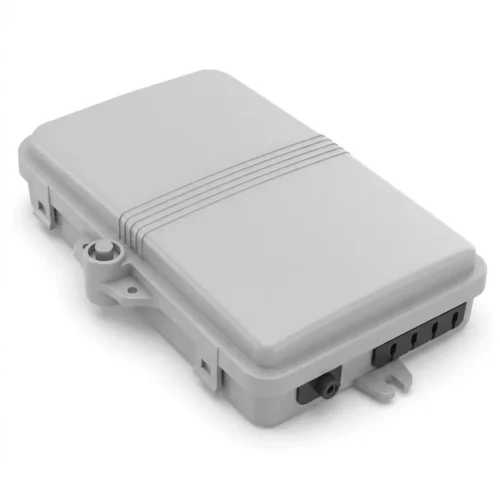
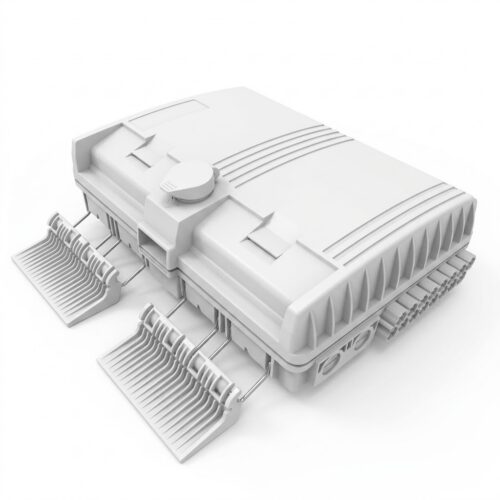
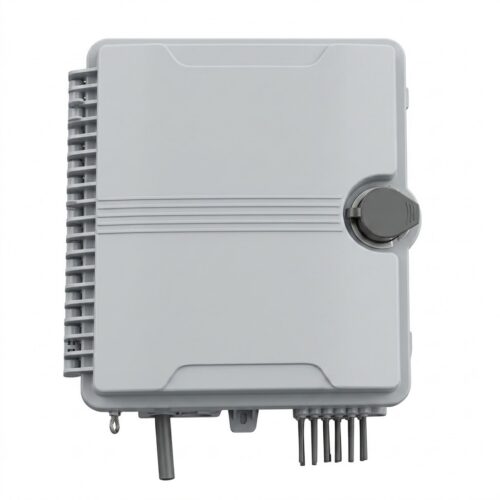
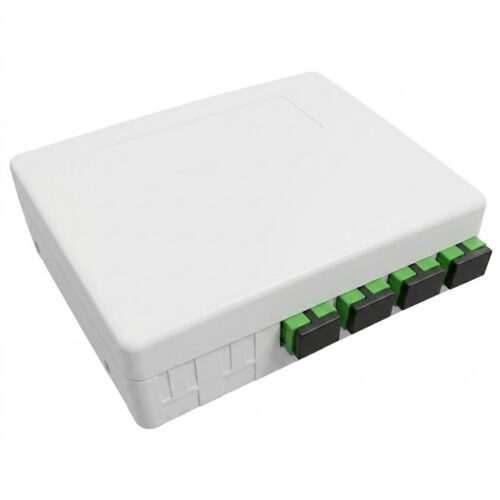
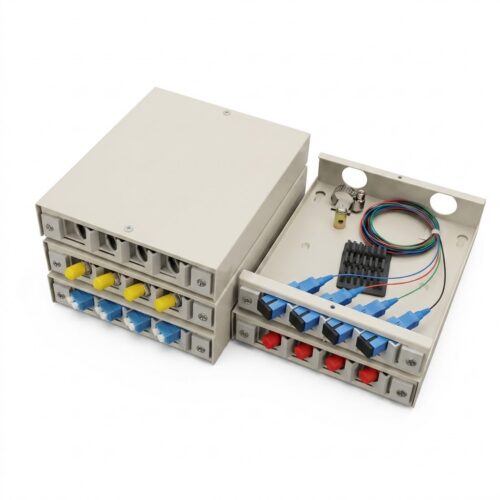
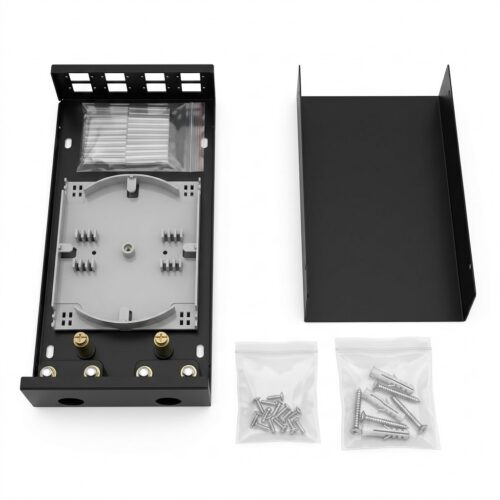
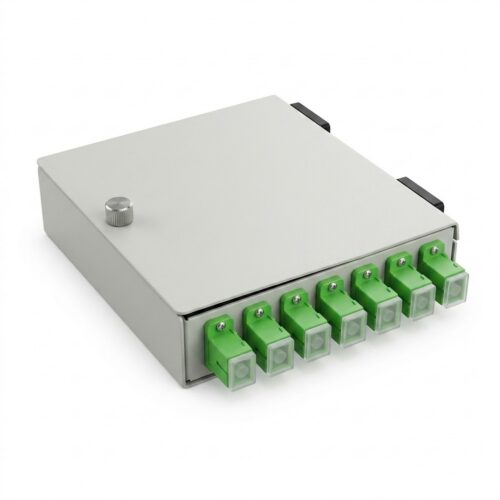
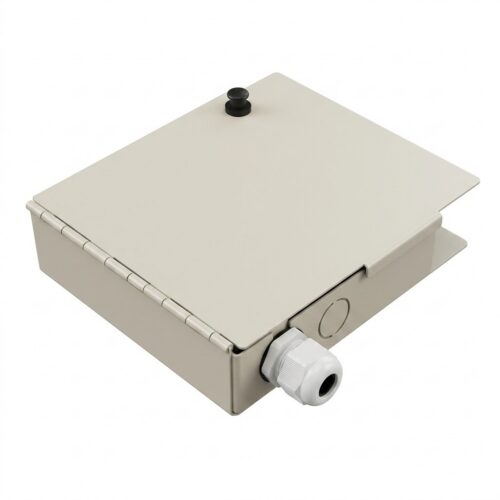
Standard FTB units house a rugged casing, cable clamps, stackable splice trays, adapter panels, and slack spools. High-density models installed in a central office or street cabinet also include grounding studs to bond metallic armor safely.
Key Functions of FTB
- Cable Fixing and Strain Relief: Internal clamps secure outer jackets and strength members like steel wire or FRP rods. This design isolates delicate fusion splicing points from external pulling forces.
- Fiber Splicing Management: Ergonomic splice trays organize single fusion splices and mass fusion splicing sleeves. They hold protective sleeves securely to prevent vibration damage.
- Fiber Distribution and Patching: Dedicated adapter panels hold SC, LC, FC, or ST connectors. Installers cross-connect patch cords and reconfigure circuits efficiently.
- Fiber Storage and Bend Control: Internal mandrels store excess fiber slack in smooth loops. Maintaining a 30 mm minimum bend radius prevents macrobending loss and signal attenuation.
Fiber Terminal Box Types
- Indoor Fiber Terminal Box: Steel sheet or flame-retardant ABS housings manage cabling inside building closets. Technicians deploy them inside telecom rooms and commercial offices.
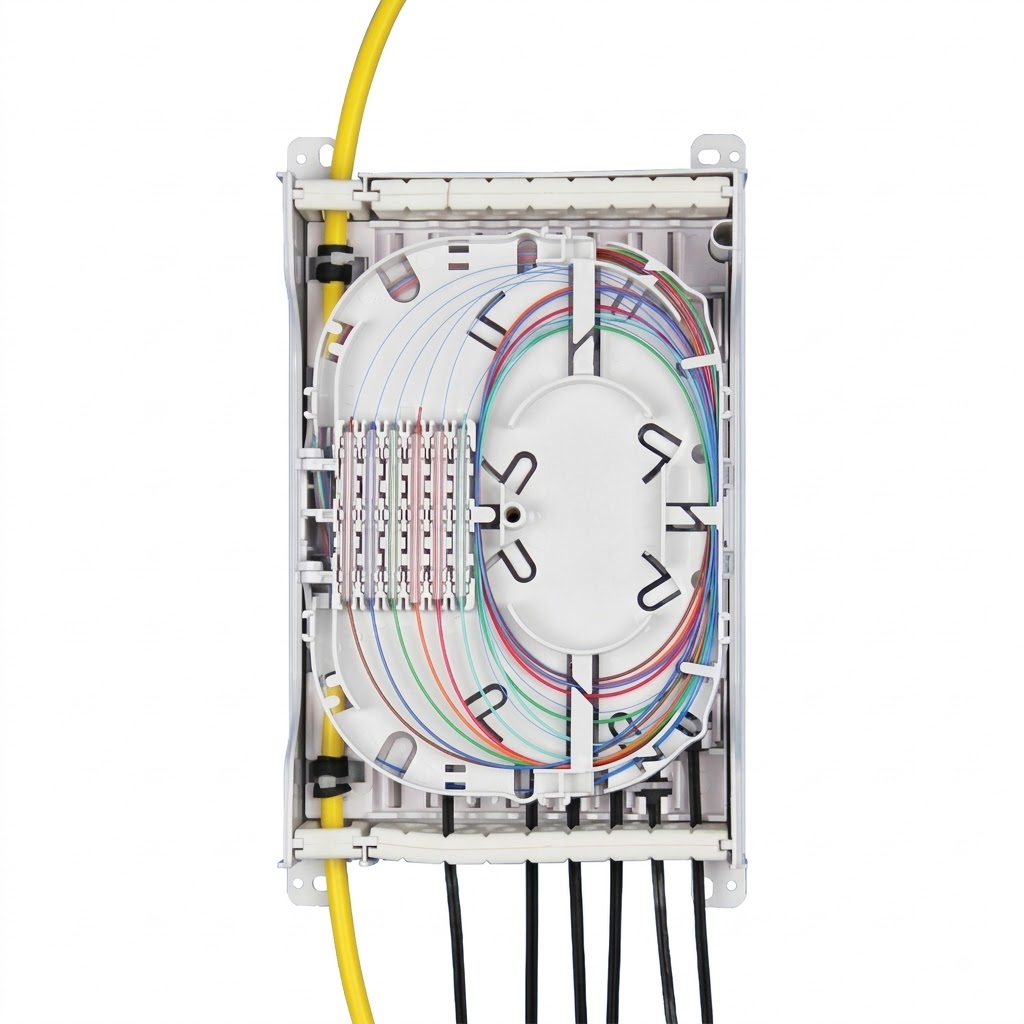
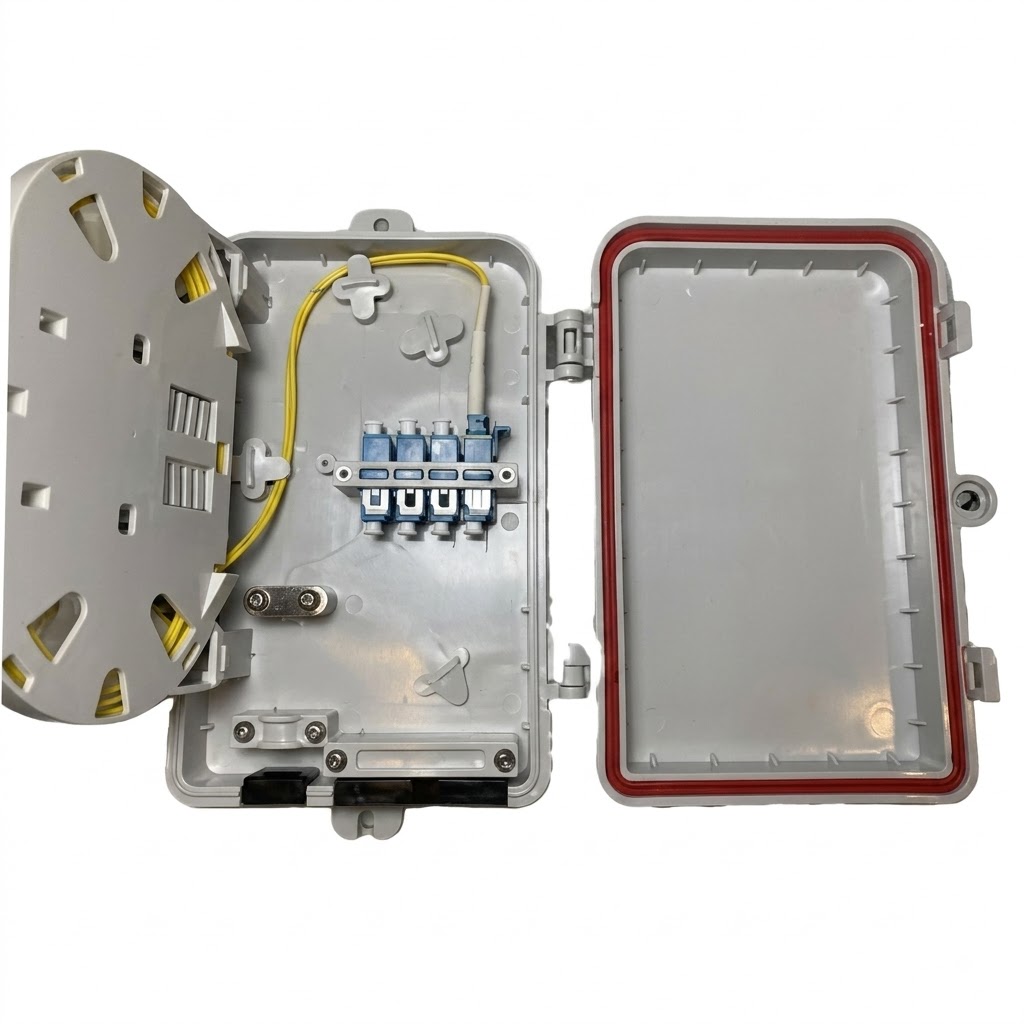
- Outdoor Fiber Terminal Box: Molded from UV-resistant polymers or SMC composite, outdoor FTB units incorporate weather gaskets. They offer IP65 to IP67 protection against dust and water.
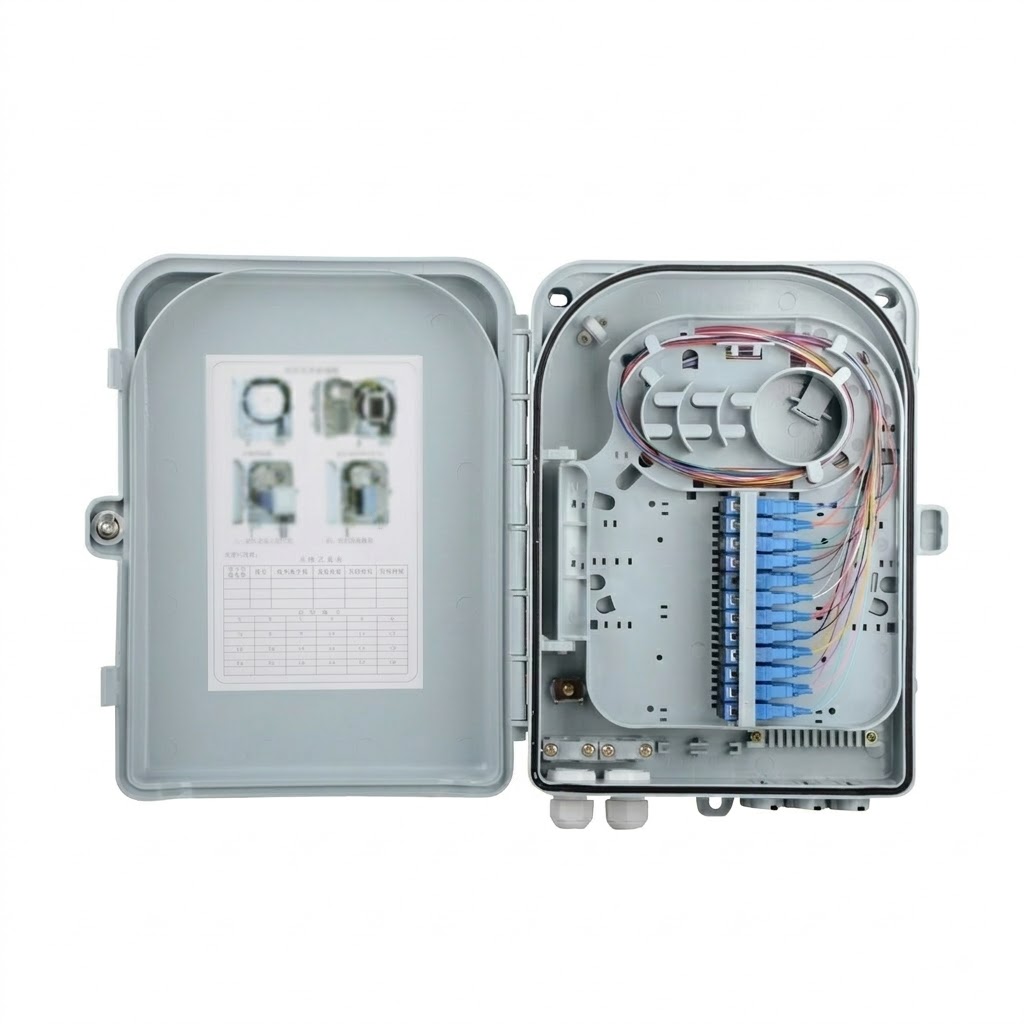
- Wall-Mount Fiber Terminal Box: Compact wall-mount FTB models attach to concrete walls or backboards using anchors. They save floor space inside building risers and distribution hubs in urban areas.
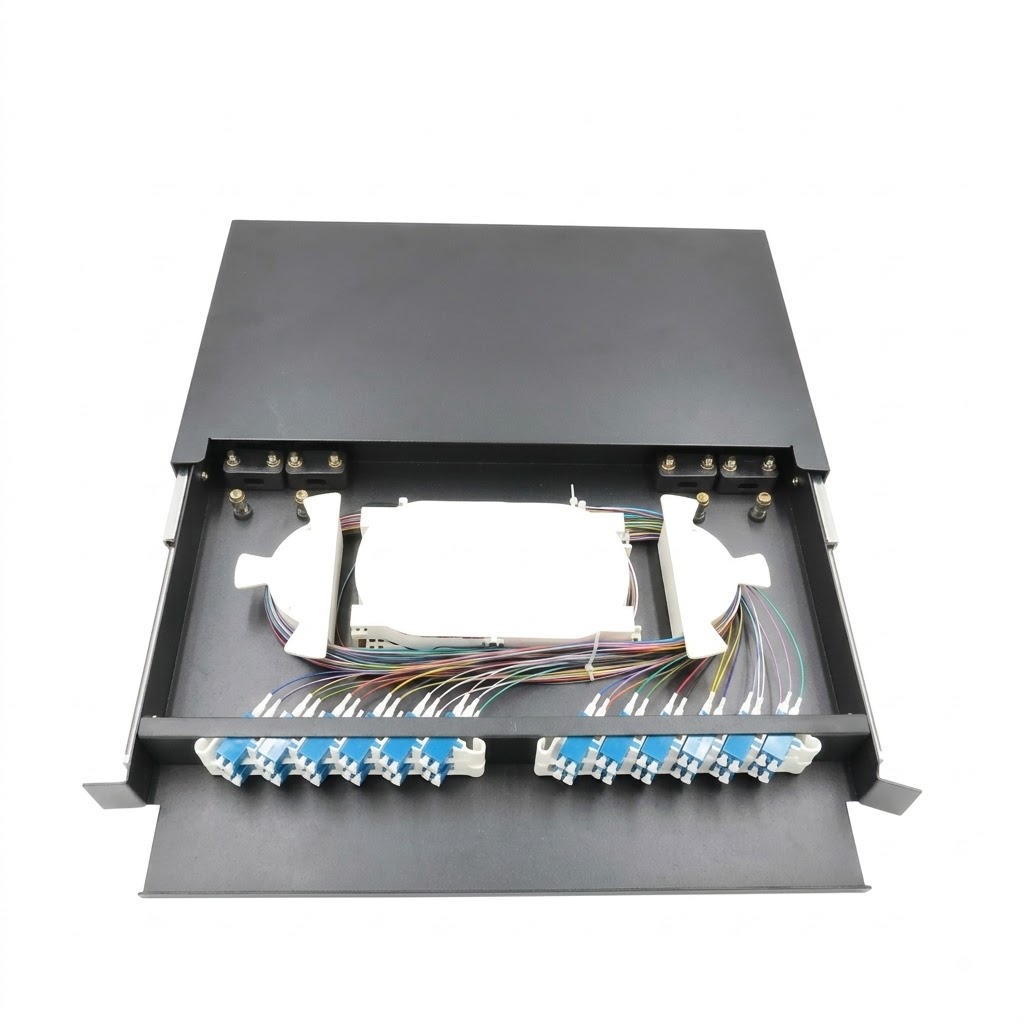
- Rack-Mount Fiber Terminal Box: Sliding rack-mount FTB panels fit standard 19-inch equipment racks. They deliver maximum fiber density for a central office, data center, and high-count trunk line.
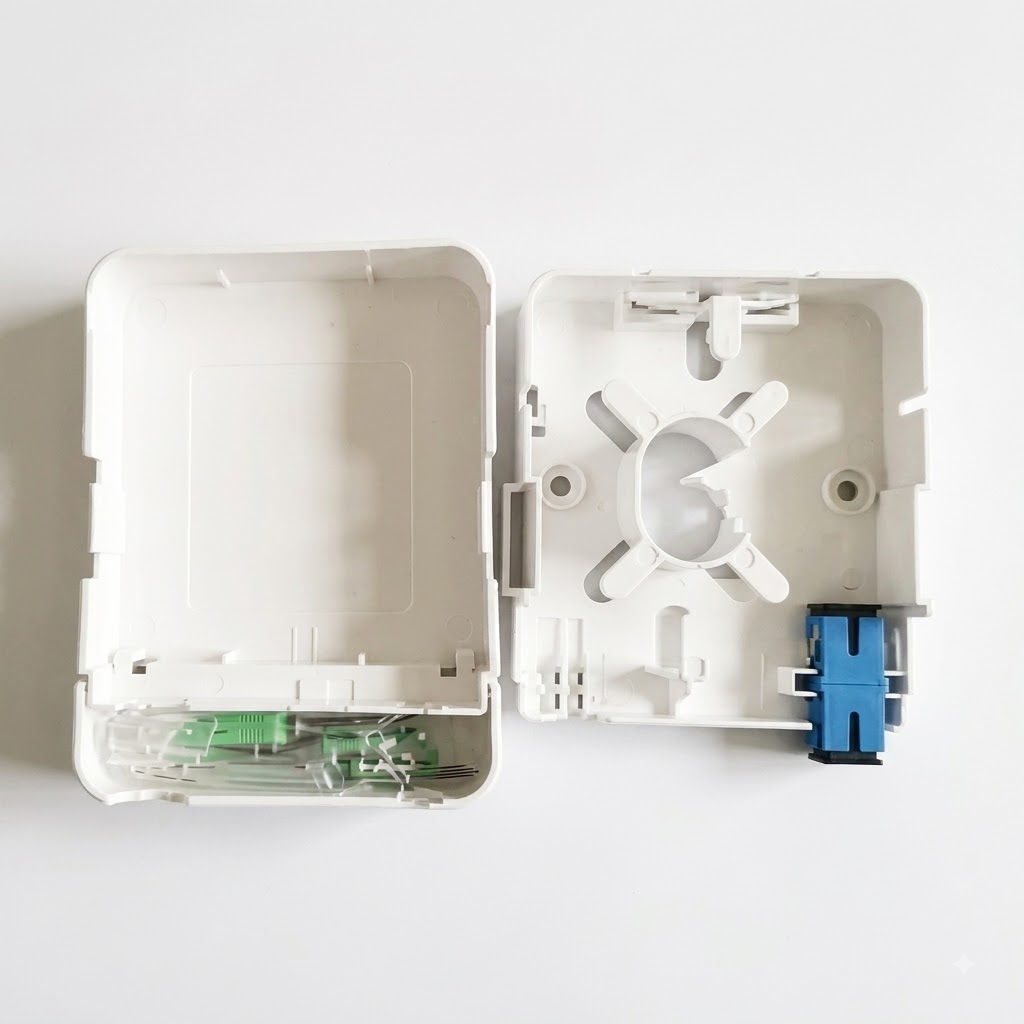
- Desktop Fiber Terminal Box: Mini desktop FTB products provide a compact fiber connection box for workstations, laboratories, and direct fiber to the home drop points.
FTB Capacity Options
Selecting proper FTB capacity depends on incoming cable strand counts and anticipated network expansion. Common port options include 4, 8, 12, 24, 48, 72, and 144 fiber configurations.
Small residential ftth drop connections usually utilize compact 4 to 12 fiber enclosures. Multi-dwelling building distribution closets employ 12 to 24 fiber wall boxes. High-density central office distribution hubs and enterprise data centers require 24 to 144 fiber rack panels. Network engineers should select sufficient capacity for active circuits while reserving spare capacity for future expansion.
Connector Options
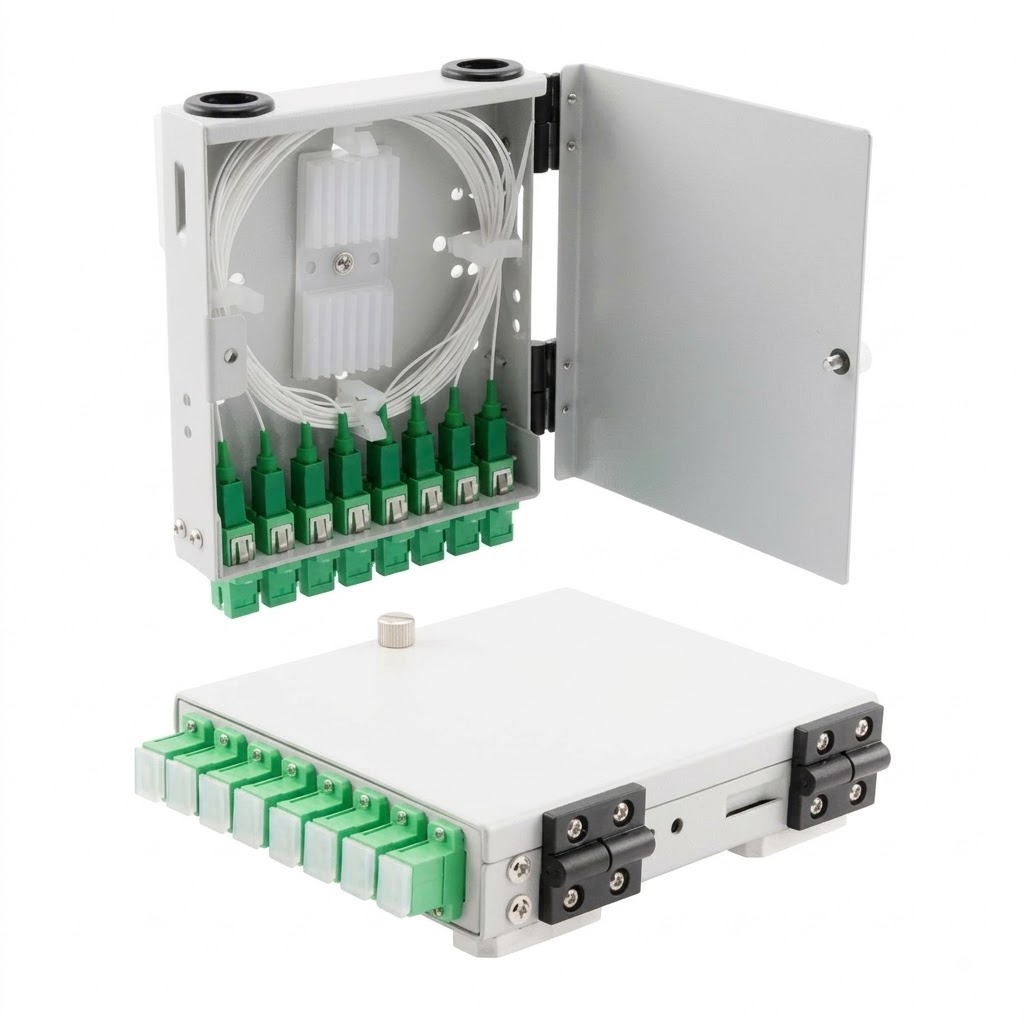
- SC Fiber Terminal Box: SC adapters use a push-pull latch mechanism with low insertion loss. They remain common across ftth drop links and subscriber access networks.
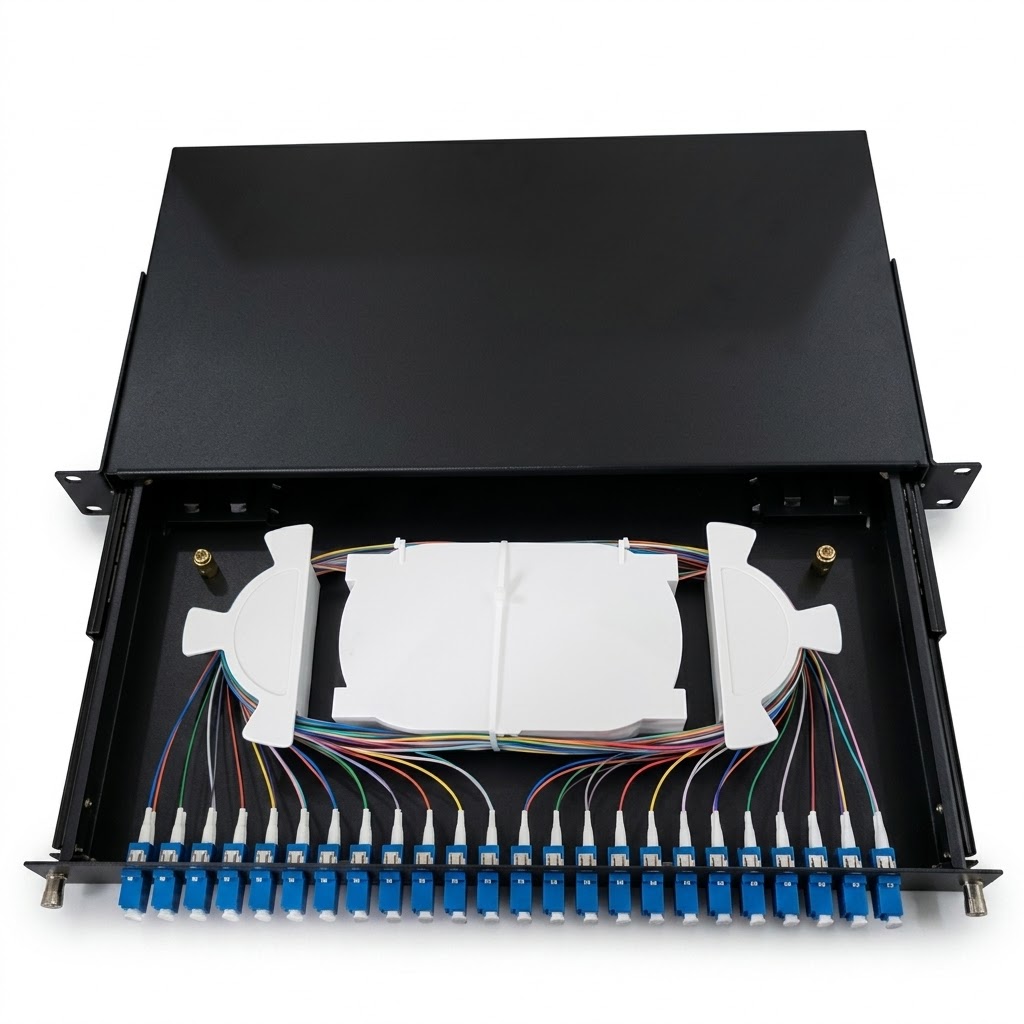
- LC Fiber Terminal Box: LC adapters feature a small form factor design with a 1.25 mm ferrule. They double port fiber density within limited space in data centers and high-density racks.
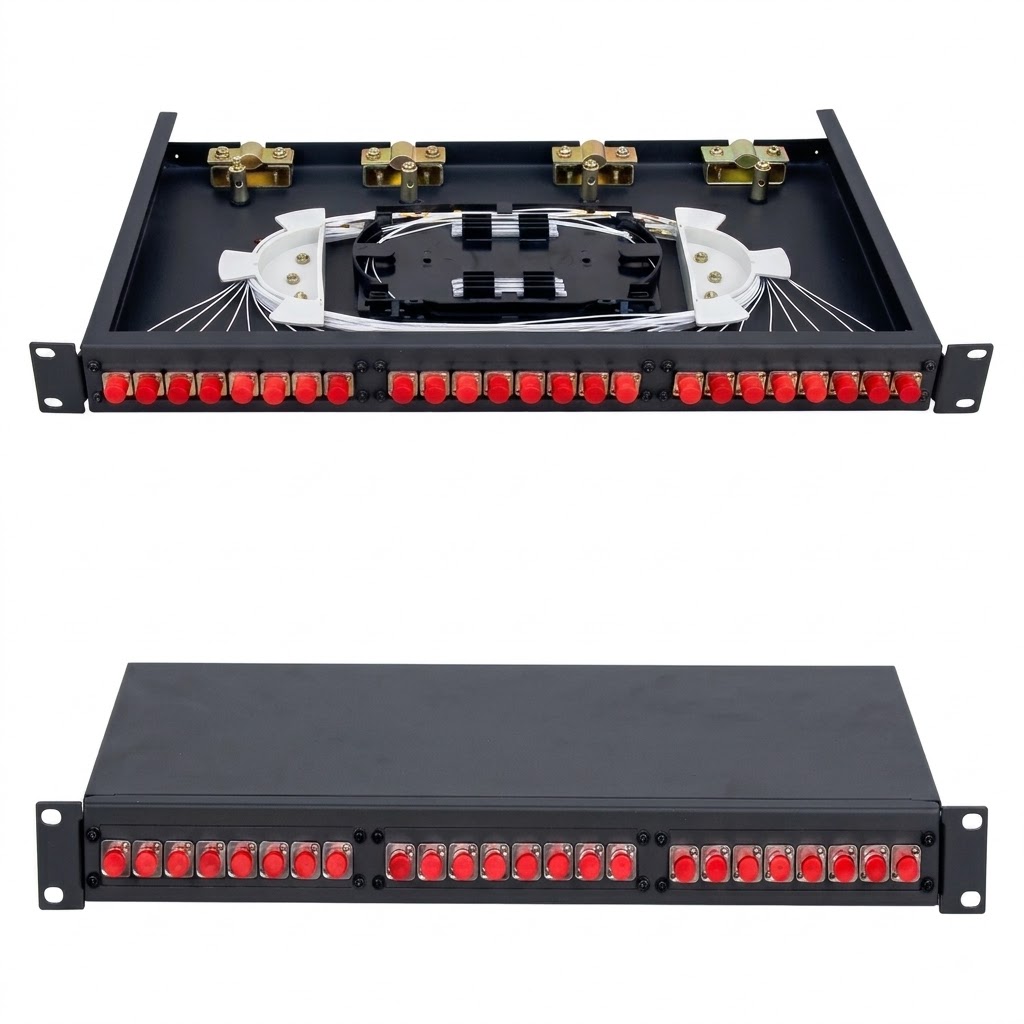
- FC Fiber Terminal Box: FC adapters utilize a threaded metal coupling system for firm retention. They suit industrial automation, testing labs, and high-vibration telecom links.
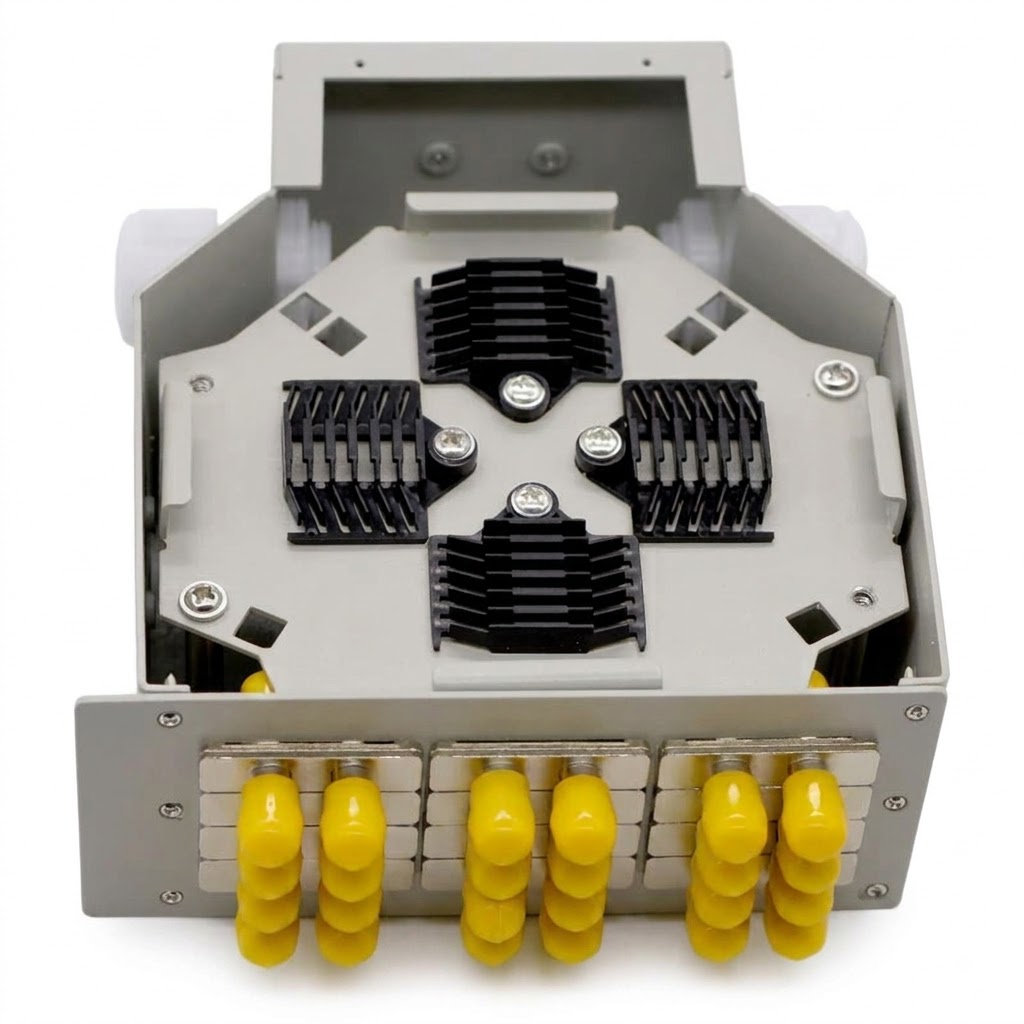
- ST Fiber Terminal Box: ST adapters use a bayonet twist-lock mechanism. They support legacy campus backbones, security monitoring feeds, and industrial lines.
FTB Housing Materials
- Cold-Rolled Steel: Cold-rolled steel sheet with powder coating provides impact resistance and long-term durability for indoor distribution closets.
- Flame-Retardant ABS Plastic: High-impact ABS plastic meets UL94-V0 flammability standards. It provides lightweight electrical insulation and economical protection for indoor subscriber drop points.
- Stainless Steel: Grade 304 or 316 stainless steel offers superior corrosion resistance against chemical spray and salt air in marine environments.
- SMC Composite Material: Sheet Molding Compound (SMC) offers weather resistance, UV stability, and mechanical strength for outdoor cabinet installations.
How to Choose a Fiber Terminal Box
- Match Fiber Core Count: Select FTB capacity according to incoming cable core count. Always allow reasonable spare capacity for future network expansion.
- Check Mounting Method: Choose wall-mount models for building walls, rack-mount models for 19-inch cabinets, or desktop units for workstations.
- Confirm Connector Type: Confirm transceiver and patch cord interfaces before ordering. Ensure adapter panels match SC, LC, FC, or ST connectors.
- Evaluate Ingress Protection: Choose standard dust protection for climate-controlled indoor rooms. Specify IP65 or IP67 rated outdoor enclosures for harsh environments.
- Inspect Fiber Management: Choose an FTB with a practical splice tray, slack spools, and clear port labels to simplify testing and future maintenance.
Fiber Terminal Box Installation Guide
Executing systematic cable installation safeguards optical fibers and ensures reliable network performance. Field technicians follow these seven sequential steps:
Step 1: Mount FTB Enclosure. Fasten wall-mount FTB units to concrete walls using expansion anchors and screws. Secure rack-mount panels inside 19-inch racks using mounting screws.
Step 2: Secure Cable. Feed incoming fiber cables through entry glands. Clamp outer jackets and anchor central strength members to internal tie points to isolate mechanical tension.
Step 3: Strip Buffer. Carefully remove outer jackets and buffer tubes with precision tools. Clean jelly off tubes with solvent wipes. Strip 250 µm acrylate buffer coating down to 125 µm bare glass cladding using mechanical primary strippers.
Step 4: Cleave and Fuse. Clean bare glass with alcohol wipes and cleave end-faces accurately. Perform fusion splicing or mass fusion splicing, keeping loss below 0.05 dB.
Step 5: Protect and Store. Protect splice points with heat-shrink sleeves. Place sleeves inside splice tray slots and route slack around spools, maintaining a 30 mm bend radius.
Step 6: Install Adapters. Mount SC, LC, FC, or ST adapters into adapter panels. Connect pigtails and patch cords according to color plans. Cover unused ports with dust caps.
Step 7: Ground and Seal. Connect metallic armor and strength members to earth ground with copper wire. Inspect housing seals, tighten cable glands, and close the box.
FTB Installation Best Practices
- Anchor outer cable jackets and central strength members before stripping buffer tubes.
- Slide heat-shrink protection sleeves onto fiber strands before completing fusion splices.
- Keep fiber routing organized inside splice tray channels and maintain specified bend radius limits.
- Label fibers according to TIA-598-C color codes to prevent connection errors during installation.
- Protect unused adapter ports with clean rubber dust caps to prevent optical surface contamination.
- Avoid bending, twisting, pulling, or compressing optical fibers beyond manufacturer specification limits.
- Never look directly into optical fibers or connector end-faces when active laser signals are present.
Testing and Inspection
After completing cable installation, field technicians inspect internal fiber routing, splice protection, and connector cleanliness. Visual inspection using optical microscopes ensures clean ferrule end-faces before patching. Optical power meter testing verifies total link insertion loss, adhering to IEC 60794 testing standards. Technicians also perform OTDR testing to locate splice loss, reflection points, and macrobends along feeder lines in urban areas and central office connections.
Applications of Fiber Terminal Box
- FTTH and FTTX Networks: Wall-mount FTB units provide compact fiber termination points for residential fiber to the home and access networks.
- Enterprise and LAN Networks: FTB enclosures organize vertical riser backbones and horizontal distribution lines inside building utility rooms.
- Data Center Infrastructure: Rack-mount FTB patch panels deliver organized high-density fiber storage and cross-connects between server cabinets.
- Telecom Networks: Weatherproof FTB cabinets route feeder cables from a central office to distribution points across urban areas.
- Security and Surveillance: Weatherproof FTB boxes protect fiber feeds at remote CCTV camera posts, traffic monitoring nodes, and industrial sites.
Why Choose a Quality Fiber Terminal Box?
A quality Fiber Termination Box (FTB) protects fragile glass fibers and simplifies field installation. Well-designed enclosures improve internal cable organization, maintenance access, and long-term network reliability. Strong cable fixing clamps reduce mechanical strain on splice points. Practical splice trays make fusion splicing and fiber management easier for technicians. Clear port labeling speeds up troubleshooting and lowers operational expenses over the network lifecycle.
Conclusion
A Fiber Termination Box (FTB)—also called a Fiber Terminal Box—plays an important role in modern optical communication networks. Choosing the right FTB requires matching fiber core count, connector type, mounting method, housing material, and environmental protection level. A suitable enclosure provides sufficient space for fusion splicing, fiber storage, clear port labeling, and future network expansion. Adhering to standard installation guides and testing procedures ensures stable optical performance across ftth, enterprise, data center, and telecom access networks.